AI chat on your wrist. Just ask.
AI Chat Bot built on GPT 5.5 for Apple Watch. Raise your wrist, say your question, and read the answer. No iPhone needed.


Leave your phone
in your pocket.
ChatApp.AI was designed for the watch, not squeezed onto it. Big buttons, short answers, and three ways to ask.
How to install ChatApp.AI on Apple Watch
Step-by-step guide →From your iPhone · easiest
- Install ChatApp.AI on your iPhone: get it on the App Store.
- Open the Watch app on your iPhone and tap My Watch.
- Scroll to Available Apps and tap Install next to ChatApp.AI.
Or right on your watch
- Press the Digital Crown and open the App Store.
- Search for AI chat in the App Store on your Apple Watch. Make sure the app has our icon and the name Chatbot AI Assistant – ChatApp, then tap Get.
- Press the Digital Crown again and tap the ChatApp.AI icon.
Speak it
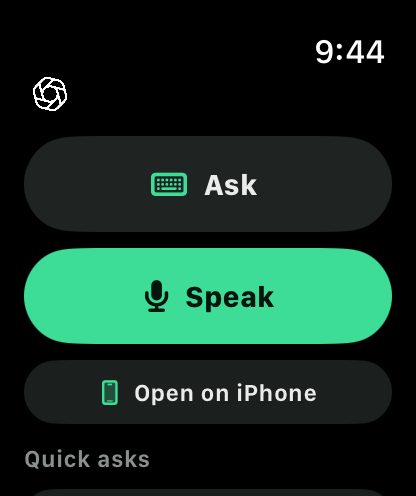
Tap Speak and ask out loud. Tap again when you’re done and the answer appears in seconds.
Or write it
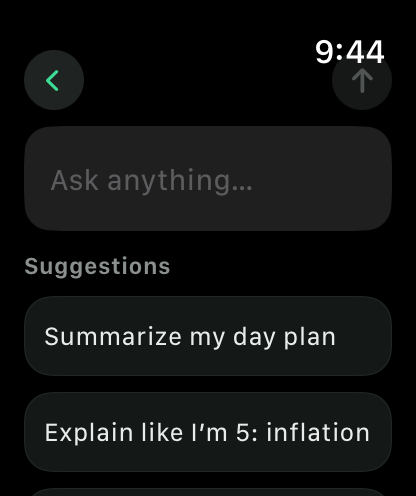
Prefer quiet? Use the keyboard, Scribble or dictation, or start from a suggestion.
Quick asks
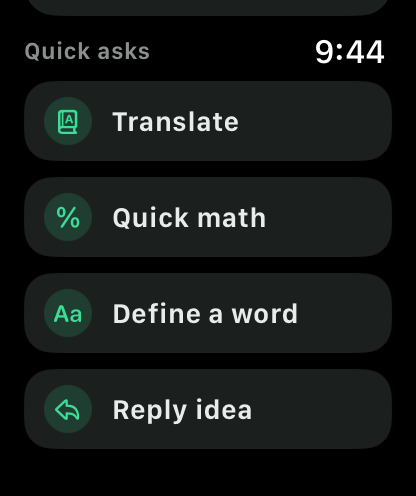
Translate, do quick math, define a word or get a reply idea in a single tap.
Right on your watch face
Add ChatApp.AI to your watch face and start a question straight from the time.
Hear the answer
Tap the speaker and your watch reads the answer out loud, for when you can’t look.
No iPhone needed
A standalone watch app. Leave your phone at home and still get answers over Wi‑Fi or cellular.
See it on the watch.
Actual screens from ChatApp.AI on Apple Watch.
Questions.
Everything people ask before installing.
Can I use an AI chatbot on my Apple Watch?
Yes. ChatApp.AI has its own Apple Watch app. Open it, speak or type your question, and the answer appears on your watch.
Do I need an iPhone?
No. ChatApp.AI is a standalone Apple Watch app. Install it from the App Store right on your watch and ask questions over your watch’s Wi‑Fi or cellular connection, even with your iPhone at home.
Is it like ChatGPT, but on Apple Watch?
Yes. ChatApp.AI is a similar AI chat, built on GPT 5.5 and made for your wrist. It’s a standalone watch app: speak or Scribble your question and the answer appears on your watch. ChatApp.AI is an independent app and isn’t made by OpenAI.
How do I ask a question on the watch?
Tap Speak and say it out loud, or tap Ask to use the keyboard, Scribble or dictation. Quick asks start a translation, a calculation, a definition or a reply in one tap, and you can add ChatApp.AI to your watch face.
Is it free?
ChatApp.AI is free to download and includes free questions every day. Pro unlocks unlimited questions.
Which Apple Watch models work?
ChatApp.AI runs on Apple Watch Series 4 and later.
Your watch just got smarter.
500K+ downloads and counting. Get ChatApp.AI free and ask your first question in seconds.